Registering for an Event (Attendee Guide)
This guide is for attendees registering for an event on FairUp.
Finding an event
You can find FairUp events via a direct link from the organizer, on the event's public page, or through an embedded registration on the organizer's website.
Registration process
Step 1: Event page
The event page shows event name, date, location, description, agenda, exhibitor list, and ticket options.

Step 2: Select ticket type
If the event has multiple ticket types, choose the one that applies to you.
Step 3: Fill in your information
Provide your name, email address, and answer any custom questions from the organizer.
Step 4: Confirm
Review your information and click Register.
Step 5: Receive confirmation
You'll receive an email with confirmation, QR code for check-in, event details, and a calendar invite. This can sometimes take a few minutes.
Creating a FairUp account
You don't need an account to register, but creating one gives you access to your tickets in one place, Job Board access, and a candidate profile, and the ability to message companies directly.
After registering, you can refresh the event page and click View Event Details to enter the attendee area

After registration
Add to calendar — Google, Apple, or Outlook
Explore exhibitors — browse profiles before the event
Check the Job Board — start browsing opportunities
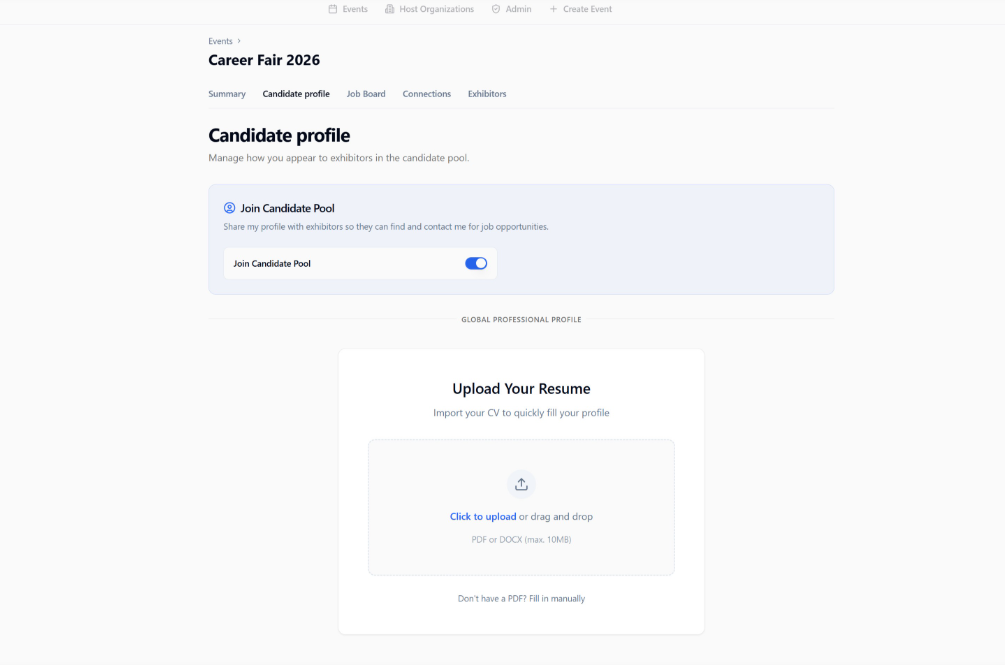
Edit Candidate Profile — import your resume via AI or fill it in manually
On the day of the event
Bring your QR code (printed, in the wallet, or on your phone)
Arrive at the venue or join the virtual link
Scan your QR code at check-in, or check in at companies manually
Enjoy the event!
Cancelling your registration
Open your confirmation email, click Cancel Registration, and confirm. If the event has a waitlist, your spot may be given to someone else.